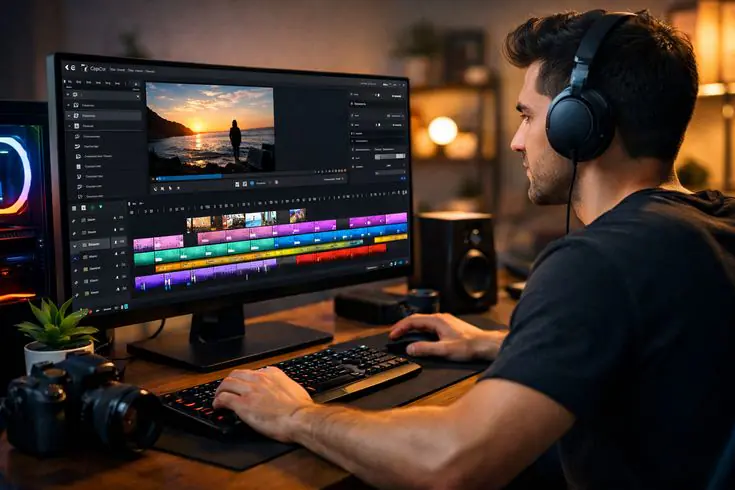
If you’re a student or professional looking to build a career in video editing, content creation, media production, or digital marketing, start your journey with Adobe Premiere Pro at DOT Institute.
 Find us easily on Google Maps – Just search for “DOT Institute Premiere Pro Trichy”
 Call us now to reserve your free demo class and get detailed course info: +91 99942 99879
 Get certified with the most trusted Adobe Premiere Pro video editing course in Trichy
 Adobe Premiere Pro Course Syllabus – Best Video Editing Training in Trichy
Looking to learn Adobe Premiere Pro from scratch or upgrade your editing skills? Our Premiere Pro training in Trichy is divided into well-structured, industry-relevant modules covering everything from basic video editing to advanced color grading, audio mixing, and motion graphics.
 Module 1: Introduction to Adobe Premiere Pro
Overview of the Adobe Premiere Pro Interface
Understanding the Non-Linear Editing (NLE) Workflow
Creating and Managing Projects and Sequences
Importing Media: Video, Audio, Images, and Graphics
Timeline Basics – Tracks, Clips, and Playback Controls
Understanding Frame Rates, Resolution & Aspect Ratios
Premiere Pro beginner course Trichy, video editing basics, NLE editing training
 Module 2: Video Editing Fundamentals
Basic Cut, Trim, and Split Techniques
Ripple Edit, Rolling Edit, and Slip Tools
Working with Multi-Camera Footage
J-Cut, L-Cut, and Advanced Cutting Methods
Adding Transitions – Cross Dissolve, Wipe, Dip to Black
Editing B-Roll, Interviews, and Talking Head Videos
video editing techniques Trichy, Premiere Pro editing course, film editing training
 Module 3: Color Correction & Color Grading
Introduction to the Lumetri Color Panel
Primary Color Correction – Exposure, Contrast, Highlights, Shadows
White Balance and Color Temperature Adjustment
Secondary Color Correction – HSL Qualification
Applying and Creating LUTs (Look-Up Tables)
Cinematic Color Grading Techniques (Teal & Orange, Film Noir, etc.)
Comparing Scopes – Waveform, Vectorscope, Histogram
color grading course Trichy, Lumetri color training, cinematic look Premiere Pro
 Module 4: Audio Editing & Mixing
Understanding the Audio Timeline and Levels
Adjusting Audio Volume, Fades, and Keyframes
Using Adobe Audition Integration for Deep Audio Editing
Noise Removal and Audio Cleanup
Adding Background Music, Sound Effects, and Voice-Over
Audio Mixing: Balancing Dialogue, Music, and Effects
Exporting Audio for Broadcast and Web
audio editing in Premiere Pro Trichy, sound design training, audio mixing course
 Module 5: Titles, Graphics & Motion Text
Creating Title Cards and Lower Thirds with the Essential Graphics Panel
Working with Adobe Fonts and Custom Typography
Animating Text with Keyframes and Motion Presets
Adding Animated Subtitles and Captions
Designing Intro/Outro Screens
Importing Motion Graphics Templates (.MOGRT) from Adobe After Effects
motion graphics Premiere Pro Trichy, title design video editing, animated subtitles course
 Module 6: Visual Effects, Transitions & Compositing
Applying and Customizing Video Effects
Green Screen / Chroma Key Compositing
Picture-in-Picture (PIP) and Split Screen Effects
Speed Ramping – Slow Motion and Hyper-Lapse
Masking and Tracking – Object and Face Tracking
Blending Modes and Overlay Effects
Ken Burns Effect for Photo Video Projects
visual effects Premiere Pro Trichy, green screen training, chroma key compositing course
 Module 7: Social Media & Multi-Platform Video Production
Editing for YouTube – 16:9 Widescreen Format
Editing for Instagram Reels & TikTok – 9:16 Vertical Format
Editing for Facebook and LinkedIn – Square & Landscape Formats
Creating Thumbnails and End Screens
Batch Exporting for Multiple Platforms
Understanding YouTube SEO for Video Titles and Descriptions
YouTube video editing course Trichy, Reels editing training, social media video production
 Module 8: Export, Delivery & Collaboration
Exporting with Adobe Media Encoder
Export Settings for Web, Broadcast, Cinema, and Mobile
H.264, H.265, ProRes, and DNxHD Codec Understanding
Creating Proxy Workflows for Low-End Computers
Using Team Projects for Collaborative Editing
Delivering Final Edits to Clients – Best Practices
Building a Professional Video Editing Portfolio
video export settings Premiere Pro, media encoder training Trichy, professional portfolio video editing
Find us near: Chathiram Bus Stand, Thillainagar, Woraiyur, Central Bus Stand, Lalgudi, and Srirangam
Google Maps Search: Adobe Premiere Pro Course in Trichy – DOT Institute
Flexible Timings: Weekday, Weekend, and Fast-Track Batches Available
Certification: Industry-Recognized Certificate with Job Assistance
—
 Enroll Now in the Best Adobe Premiere Pro Course in Trichy!
 Looking for top-quality Adobe Premiere Pro training in Trichy? You’re in the right place! Our job-oriented Premiere Pro course is designed for media, communication, and arts students who want to build real-world video editing and content production skills.
Call now for a FREE demo class and detailed course brochure:
+91 99942 99879