Solidworks Training in Trichy
Solidworks
Overview of Solidworks
Best 3D CAD Software Training in Trichy
SOLIDWORKS is one of the most popular and industry-leading 3D CAD (Computer-Aided Design) software used for product design, mechanical modeling, simulation, and rendering.
At our SOLIDWORKS training institute in Trichy, we provide expert guidance to help you master this powerful tool, whether you’re a beginner or a professional.
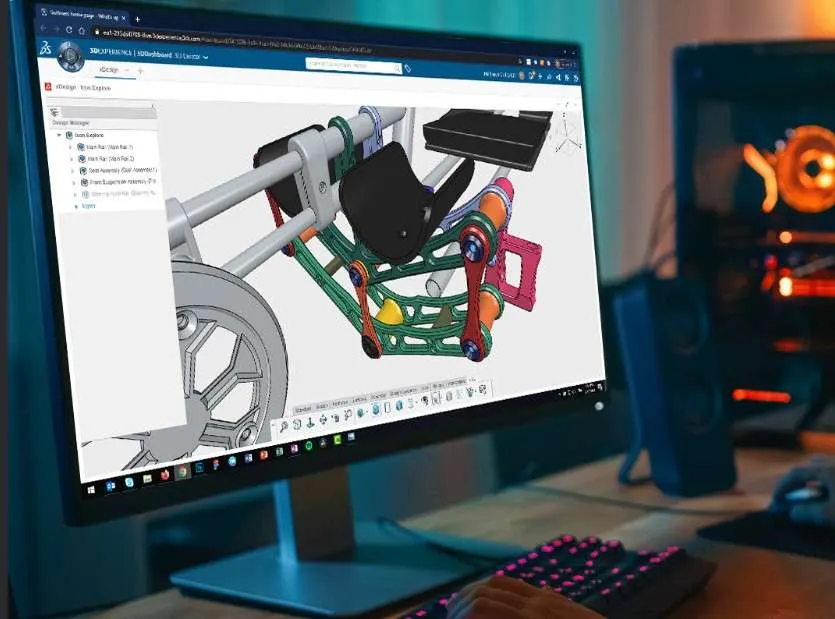
Where is Solidworks Used?
SOLIDWORKS is widely used across multiple industries for 3D modeling, product design, simulation, and manufacturing. It’s one of the most in-demand CAD software tools used by professionals around the world.
✅ Industries That Use SOLIDWORKS:
Mechanical Engineering
3D part modeling and assembly design
Machine component development
Engineering drawings and detailing
Product Design & Development
Consumer electronics, tools, and appliances
Plastic and metal enclosure design
Industrial product modeling
Automotive & Aerospace
Chassis, engine parts, and system simulations
Aerodynamic testing and motion analysis
Architecture & Construction
Sheet metal structures and framework design
Modular designs and HVAC systems
Medical Device Design
Prosthetics, tools, surgical equipment
Ergonomic design and testing
Manufacturing & Tooling
Jigs and fixtures
Molds and dies
CNC-ready design outputs
Why Learn Solidworks?
✔️ Boost your design productivity
✔️ Improve your job prospects in mechanical & product design industries
✔️ Create professional-grade 3D models, assemblies, and drawings
✔️ Simulate real-world conditions and optimize your designs
✔️ Learn a tool that is widely used in top MNCs and manufacturing companies
Why Should You Learn Especially at DOT Institute, Trichy?
DOT Institute is recognized as the best Solidworks training institute in Trichy for mechanical engineers and diploma students. With over 25+ years of experience, we specialize in practical CAD training for the mechanical field, offering hands-on project work and real-time drafting practice.
⭐ Benefits of Learning Solidworks at DOT Institute:
🎓 25+ Years Experienced Staff – Mechanical engineering faculty with real industry knowledge.
🛠️ Practical Environment – Focus on tool usage, fabrication drawings, and mechanical assemblies.
📚 Updated Curriculum – Designed for B.E., B.Tech, and diploma students in mechanical and production fields.
💰 Very Low Fees – Best value in Trichy for professional AutoCAD certification.
📆 Flexible Course Duration – Fast-track, regular, weekend, and online classes available.
📍 Top-Rated on Google Maps – Verified training center near Chathiram Bus Stand, Woraiyur, Thillainagar, and Central Bus Stand.
💼 Placement Support – Job referrals, resume writing, and interview training included.
Whether you’re searching for “Solidworks course for mechanical engineers near me” or “diploma CAD training in Trichy”, DOT Institute is your best choice.
Get Trained. Get Certified. Get Hired.
If you’re a mechanical or diploma student looking to build a career in product design, manufacturing, or CAD drafting, start with Solidworks at DOT Institute.
📍 Find us easily on Google Maps – Just search for “DOT Institute Solidworks Trichy”
📞 Call us now to reserve your free demo class and get detailed course info: +91 99942 99879
🎯 Get certified with the most trusted Solidworks mechanical course in Trichy
🔧 Solidworks Mechanical Syllabus – Job-Oriented Training in Trichy (DOT Institute)
Looking to master Solidworks Mechanical design for core industry jobs? Our expertly designed syllabus is suitable for diploma, B.E., B.Tech mechanical engineering students, and working professionals in Trichy. The course focuses on 2D drafting, mechanical part design, assembly drawing, and production documentation.
Below is the detailed syllabus covered at DOT Institute – the Best Solidworks Training Center in Trichy.
📘 SOLIDWORKS Course Syllabus – Best 3D CAD Training in Trichy
Looking to learn SOLIDWORKS from scratch or upgrade your CAD skills? Our SOLIDWORKS training in Trichy is divided into well-structured, industry-relevant modules covering everything from 3D modeling to simulation and rendering.
🧩 Module 1: Introduction to SOLIDWORKS
Overview of the SOLIDWORKS Interface
Understanding Design Intent
Creating and Managing Part Files
Sketching Basics and Tools
Using Dimensions & Relations
🔑 Keywords: SOLIDWORKS beginner course, CAD design basics, 3D software for beginners
⚙️ Module 2: 3D Part Modeling
Extrude, Revolve, Sweep & Loft Features
Fillets, Chamfers, Drafts
Hole Wizard and Pattern Tools
Editing and Modifying Features
Using Design Tree and History
🔑 Keywords: 3D modeling in SOLIDWORKS, mechanical CAD design training
🧱 Module 3: Assembly Modeling
Creating and Managing Assemblies
Standard & Advanced Mates
Exploded Views
Interference Detection
Sub-Assemblies and Configurations
🔑 Keywords: SOLIDWORKS assembly training, product design CAD course Trichy
📄 Module 4: 2D Drawings & Detailing
Creating 2D Drawings from 3D Models
Adding Dimensions, Annotations & GD&T
Title Blocks, BOM (Bill of Materials)
Section Views and Detail Views
Drawing Templates and Standards
🔑 Keywords: engineering drawings in SOLIDWORKS, 2D drafting course Trichy
🌬️ Module 5: Sheet Metal Design
Sheet Metal Features: Base Flange, Edge Flange
Bends, Rips, Reliefs, and Flattening
Converting Solid Parts to Sheet Metal
K-Factor and Bend Allowance Concepts
🔑 Keywords: SOLIDWORKS sheet metal course, mechanical fabrication design Trichy
🧰 Module 6: Weldments & Structural Design
Creating Weldment Profiles
Structural Member Design
Gussets, End Caps, and Trims
2D Frame Drawings
🔑 Keywords: SOLIDWORKS weldment training, frame design CAD course Trichy
🧪 Module 7: Simulation & Motion Analysis
Introduction to SOLIDWORKS Simulation
Static Stress Analysis
Applying Materials and Boundary Conditions
Motion Simulation Basics
Result Interpretation and Reports
🔑 Keywords: SOLIDWORKS simulation course, CAD analysis training Trichy
🎨 Module 8: Rendering & Animation
Using SOLIDWORKS Visualize / PhotoView 360
Creating Realistic Product Renders
Adding Lights, Cameras & Materials
Basic Animation Techniques
🔑 Keywords: SOLIDWORKS rendering course, product animation CAD Trichy
More Modules 9,10,etc & More Syllabus Click Here
🎯 Who Can Join?
This course is ideal for:
Diploma in Mechanical Engineering students
B.E./B.Tech Mechanical, Production, Mechatronics
Tool & Die, Manufacturing, and Design engineers
Job seekers and working professionals in CAD design
📍 Available at DOT Institute – Trichy’s Top-Rated CAD Training Center
Find us near: Chathiram Bus Stand, Thillainagar, Woraiyur, Central Bus Stand, Lalgudi, and Srirangam
Google Maps Search: Solidworks Mechanical Course in Trichy – DOT Institute
Flexible Timings: Weekday, Weekend, and Fast-Track Batches Available
Certification: Industry-Recognized Certificate with Job Assistance
✅ Enroll Now in the Best SOLIDWORKS Course in Trichy!
🎓 Looking for top-quality SOLIDWORKS training in Trichy? You’re in the right place! Our job-oriented SOLIDWORKS course is designed for mechanical engineering and diploma students who want to build real-world 3D modeling and design skills.
📞 Call now for a FREE demo class and detailed course brochure:📱 +91 99942 99879
📘 SOLIDWORKS Syllabus – Industry-Focused Training in Trichy
Our comprehensive SOLIDWORKS syllabus in Trichy includes:
✅ 3D Part Modeling
✅ Assembly Design
✅ 2D Drawing & Detailing
✅ Sheet Metal Design
✅ Simulation & Motion Analysis
✅ Realistic Rendering & Animation
Whether you’re a mechanical engineering student, a diploma holder, or a working professional, this course will prepare you for real-time CAD design projects and industrial job roles.
🎯 Best SOLIDWORKS Course for Mechanical Engineering & Diploma Students
Our training is designed to help you:
✔️ Master 3D CAD Design
✔️ Understand Mechanical Component Design
✔️ Learn Parametric Modeling
✔️ Get Hands-On Practice with Real-Time Projects
✔️ Prepare for SOLIDWORKS Certification Exams
✔️ 100% Practical Training
✔️ Experienced Trainers from Industry
✔️ Placement Assistance & Internship Support
Batch Schedule
Weekdays Batch Timing
Monday - Friday Session Timing
10:00 AM – 12:00 PM |
12:00 PM – 02:00 PM |
03:00 PM – 05:00 PM |
06:00 PM – 09:00 PM
Weekend Batch Timing
Saturday - Sunday Session Timing
11:00 AM – 02:00 PM
Free Demo
Trustindex verifies that the original source of the review is Google. good in training and in coachingTrustindex verifies that the original source of the review is Google. The training provided for Solid works really helped me to get good grades and also to clear placement rounds in various companies. Thanks to Dot instituteTrustindex verifies that the original source of the review is Google. I am Mohamed Arshath I completed the Python Programming course at DOT Institute and had a great experience. The trainers were very supportive and made the concepts easy to understand.Trustindex verifies that the original source of the review is Google. I completed my AUTOCAD course in this institution.And they teach well,easy to understand, friendly staffs and they also will help you for the placements related to the course completed👍Trustindex verifies that the original source of the review is Google. This is very best institute for training and learning. this institute teaching is you easy learned for any software and also i already learned AutoCAD ,Revit architecture software , if you finish your software learned you received more job vacancyTrustindex verifies that the original source of the review is Google. I recently completed (AutoCAD) course in dot institute. Best institute for beginners. friendly approach by the staffs and Teaching is good
Student More Interested
- AutoCAD
- Solidworks
- Civil AutoCAD
- Revit
- Python
- Photoshop
- E3d
- PDMS
- TEKLA
- Revit MEP
- ANSYS
- CATIA
- PTC Creo
- Java
- Web Development
- Graphic Design
- Coreldraw
- Adobe Illustrator
- MS Office
- Tally Prime
- Web Design
Trichy Branch | DOT Institute
Address: 12A, 3rd Floor, Periyasamy Tower,
Chathiram Bus Stand, Trichy – 620002
Phone: +91 99942 99879 | +91 75 98 009 444 | +91 75 98 010 444
Email: dottrichybranch1@gmail.com
Website: www.dotinstitute.co.in
Nearest Location for DOT Institute
- SOLIDWORKS course in Trichy
Best SOLIDWORKS training for mechanical engineers
SOLIDWORKS classes near Chathiram Bus Stand
Mechanical CAD training in Woraiyur, Srirangam
3D modeling course for diploma students Trichy
SOLIDWORKS training with placement in Trichy
Job-oriented SOLIDWORKS syllabus
Our Future Branch Location
Solidworks Training in Thillainagar
Solidworks Training in Woraiyur
Solidworks Training in Lalgudi
Solidworks Training in Srirangam
Solidworks Training in Melapudur
Solidworks Training in Cantonment
Solidworks Training in Tennur
Solidworks Training in Chintamani
Solidworks Training in Palakkarai
Solidworks Training in Manachanallur
Solidworks Training in Subramaniapuram
Solidworks Training in Vayalur Road area
Solidworks Training in Ariyamangalam
Solidworks Training in Edamalaipatti Pudur (E.Pudur)
Solidworks Training in Ponmalai (Golden Rock)
Solidworks Training in Bheema Nagar
Solidworks Training in Salai Road
Solidworks Training in Singarathope
Solidworks Training in Puthur
Solidworks Training in Senthaneerpuram
Solidworks Training in Ramalinga Nagar
Solidworks Training in Khajamalai
Solidworks Training in Shastri Road
Solidworks Training in Mambazha Salai
Solidworks Training in Kollidam Road
Solidworks Training in Bishop Heber College Area
Solidworks Training in Gandhi Market Area
Solidworks Training in Cauvery Bridge Area
Quick Links
Industrial CAD Training Institute
Mechanical CAD | Civil CAD | Programming | Graphic Design | Office Administration
Contact
- 12A,3rd Floor,Periysamy Tower,Chathiram Bus Stand,Trichy-2.
- +91 9994299879
- dottrichybranch1@gmail.com